
Best counseling scheduling software
Build an automated online scheduling flow for your counseling business with a delightful, reliable scheduling software.
Streamline client onboarding with a customized online scheduling flow
Create a customized, professional booking page that displays your counseling services, highlights branding, and enables clients to directly schedule appointments on your website.
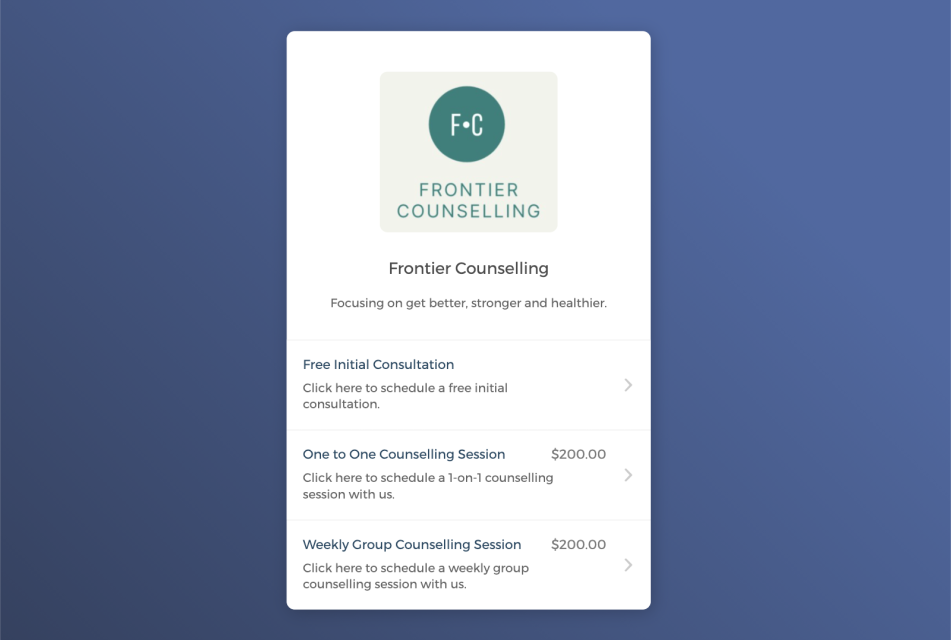

Let clients self-schedule appointments 24/7
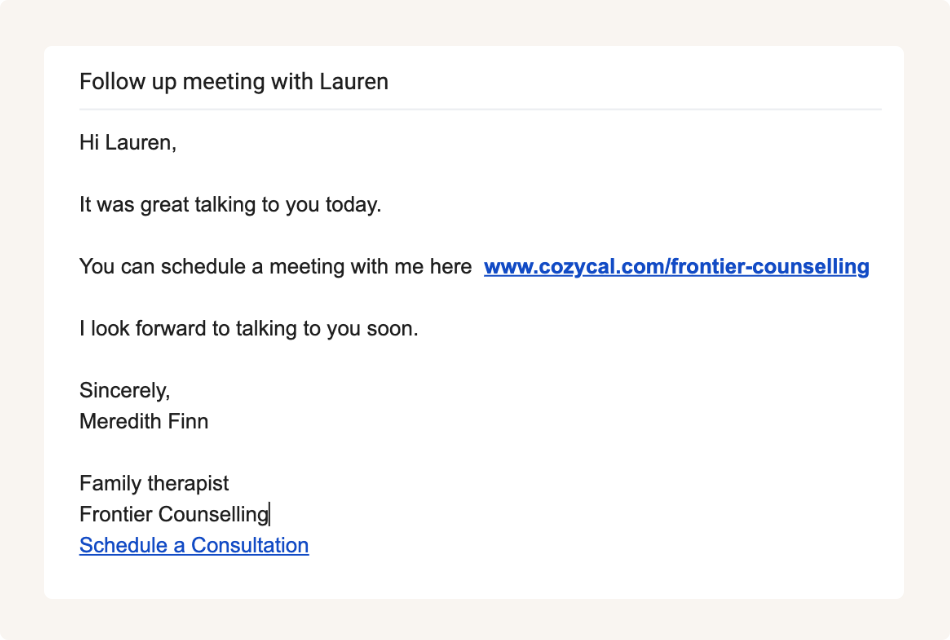
Share the booking page link for easy booking
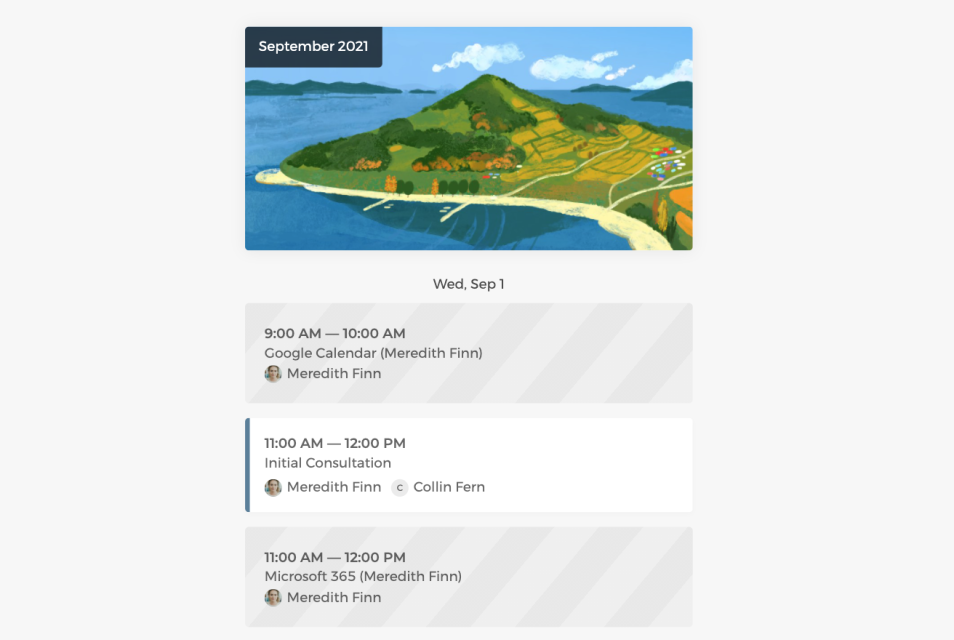
Keep your schedule updated across multiple calendars
Connect with Google calendar or Outlook calendar to keep your real-time availabilities updated and avoid missed appointments or double-bookings.
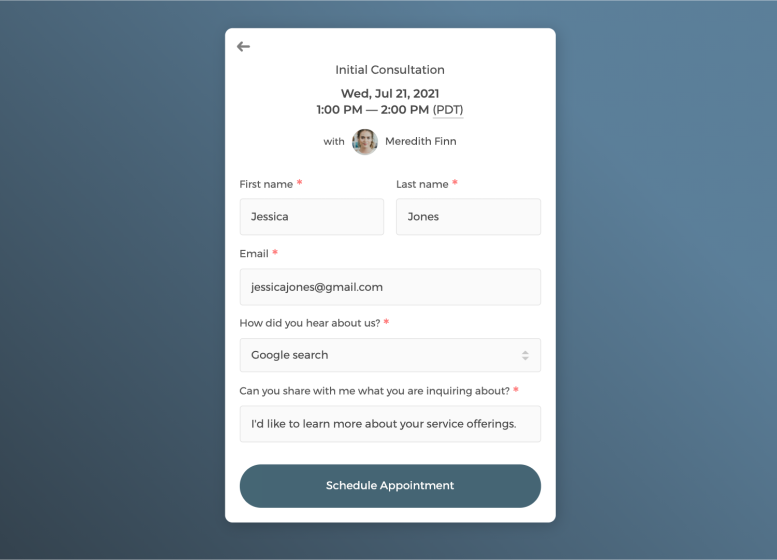
Customize intake form to collect information
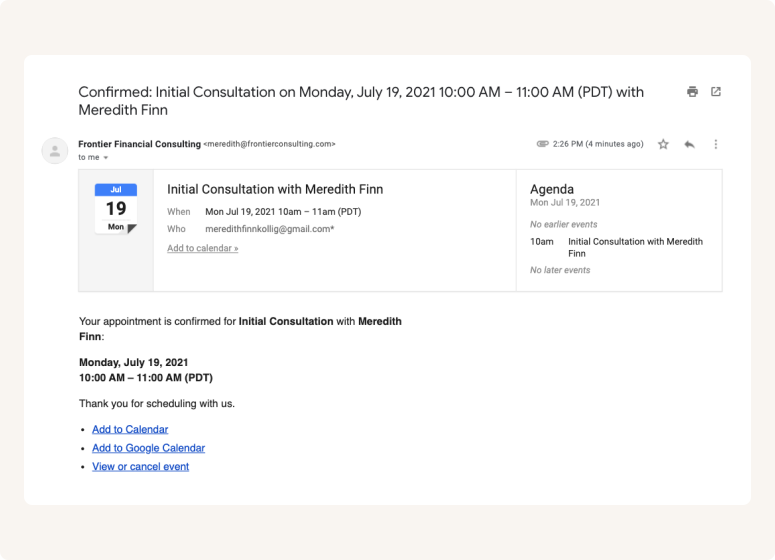
Send white label automatic email notifications
An efficient way to schedule and manage appointments
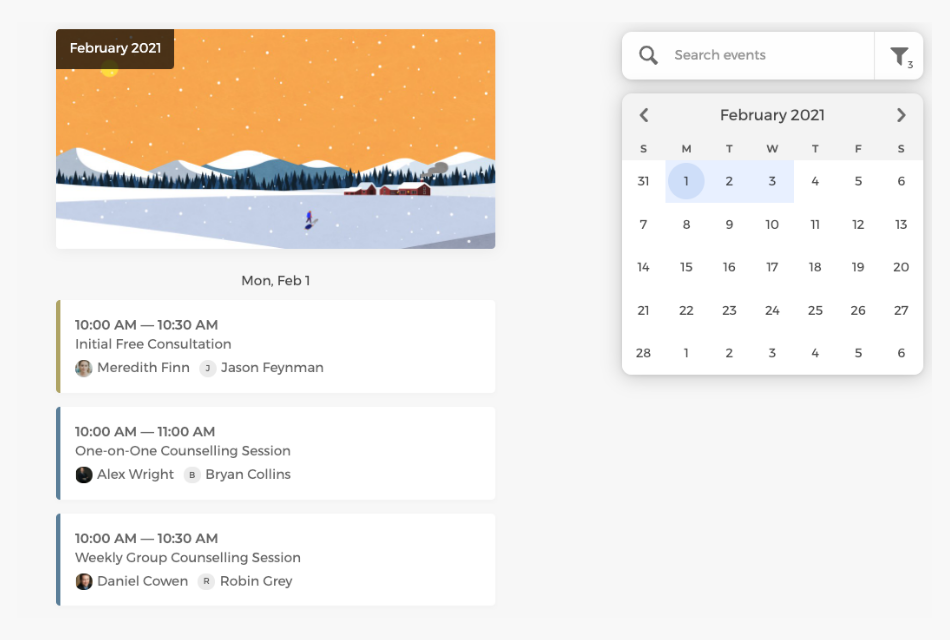
On the admin's calendar, you can have an overview of all scheduled appointments across the team and control how your practice is booked.
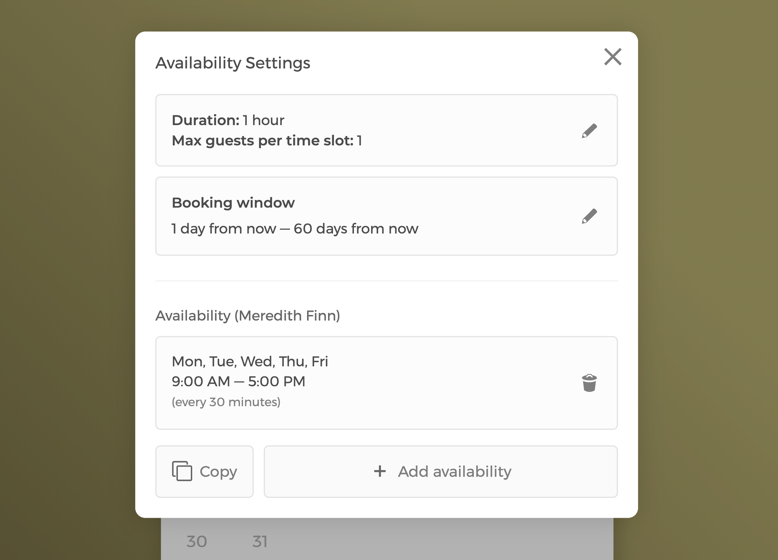
Manage event settings and your team's availability
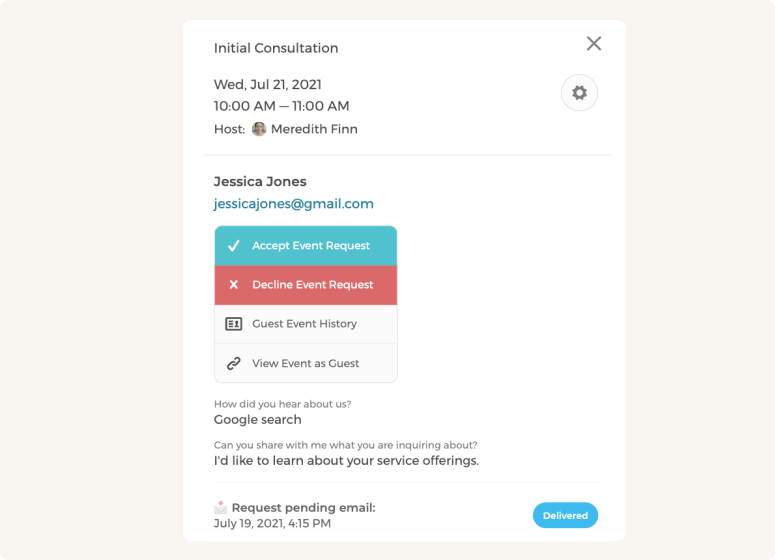
Approve or decline appointment booking requests
Customize team scheduling flow to maximize bookings
With a team of counseling therapists, appointments can be auto-assigned to staff in a round-robin manner or let clients pick the therapist they prefer to meet.
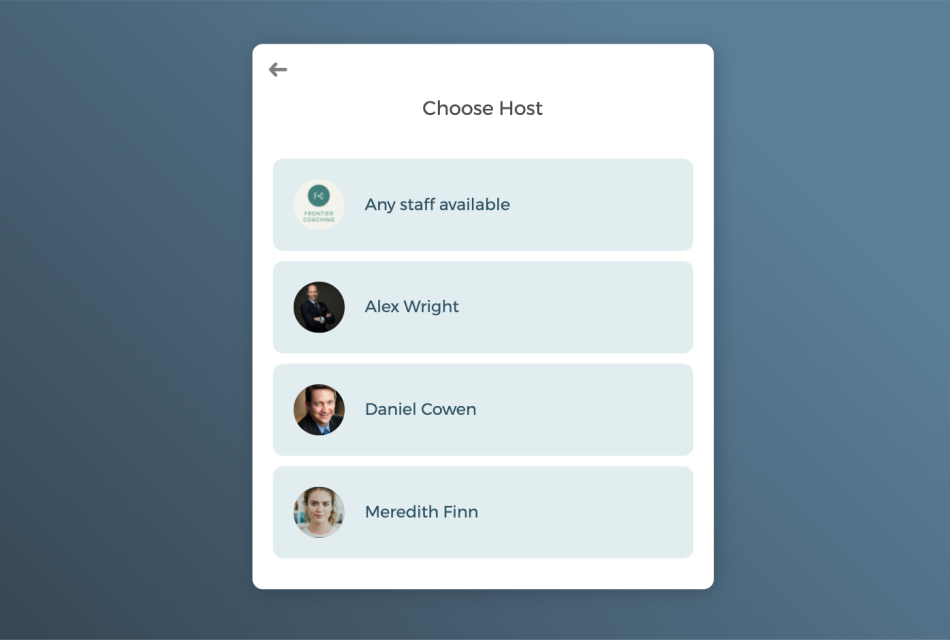
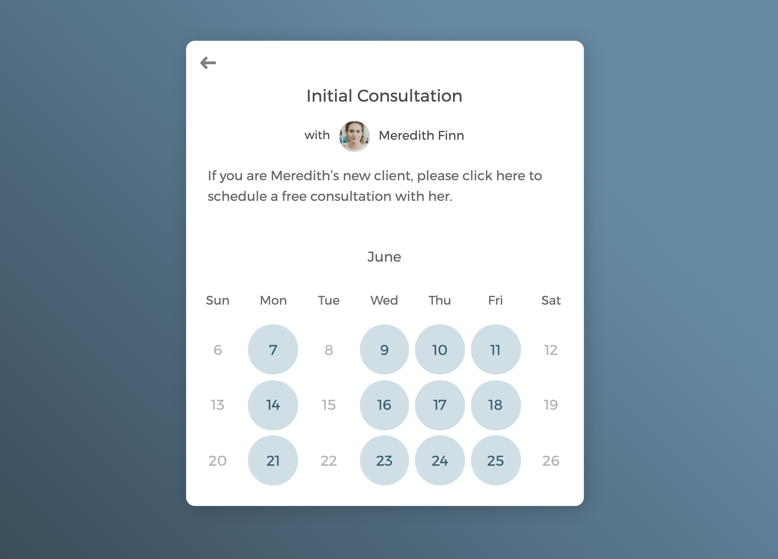
One-on-one meetings with select therapists

Schedule group sessions to grow your client base
Power up your counselling scheduling software with integrations
Connect with your favorite apps to create custom workflows to help run your practice better and grow faster.
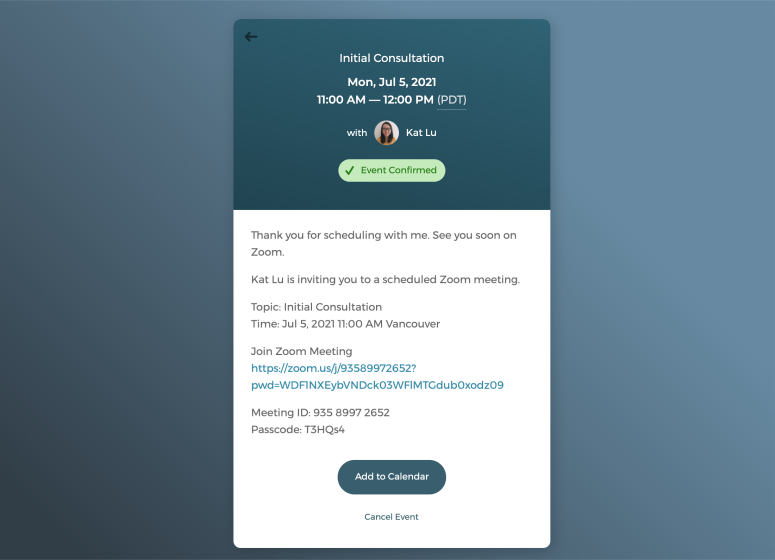
Host virtual counseling sessions with just one click
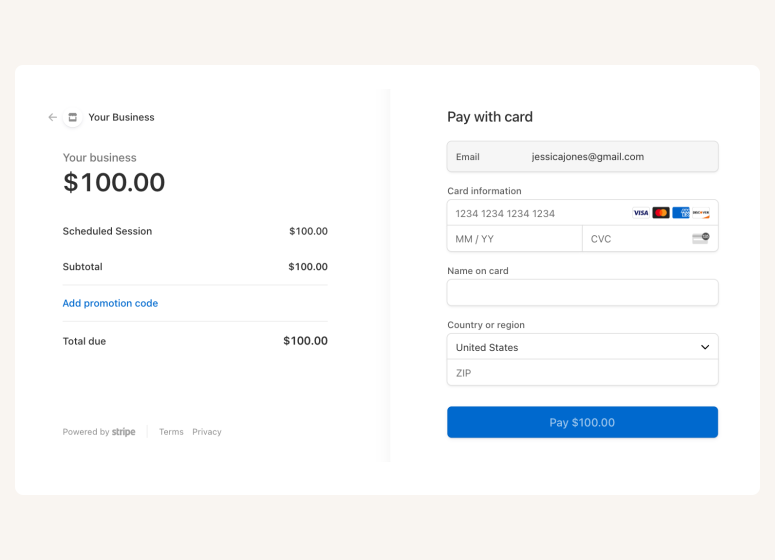
Accept online payments securely
A scheduling app that drives growth for your counseling practice

Auto-timezone detection

Package booking

SMS reminder

Client database







Questions & Answers
Have more questions? Contact us at support@cozycal.com
How does online scheduling benefit a counseling practice?
Online scheduling removes the friction of phone tag and email chains, allowing clients to book appointments when it's convenient for them, even outside office hours. For counseling practices, this means fewer missed inquiries, less administrative time spent coordinating schedules, and a more accessible first step for clients who may find it difficult to reach out by phone.
Can clients choose their preferred therapist when booking?
Yes. Each therapist in your practice can have their own booking page, allowing clients to view individual availability and book with the counselor they prefer. Alternatively, you can use round-robin scheduling to distribute new client appointments evenly across your team, or let clients choose from a shared calendar.
Can CozyCal coordinate both counselor and room availability?
Yes. CozyCal's multi-host collective scheduling lets you pool availability across multiple counselors and resources like therapy rooms or office spaces. When a client books, CozyCal finds times when both the therapist and a suitable room are available, eliminating manual coordination and preventing conflicts. You can also set priority rankings to determine which rooms or counselors are assigned first.
How do automated reminders help reduce missed appointments?
Missed sessions are costly for both counselors and clients. CozyCal sends automated email reminders before each appointment, and SMS reminders are available for clients in the US and Canada at no extra cost. You control when reminders are sent, whether it's 24 hours, 48 hours, or a custom timeframe before the session.
Can clients reschedule or cancel their own appointments?
Yes. Clients can manage their bookings based on the policies you define such as requiring 24-hour notice for cancellations. This reduces back-and-forth communication while keeping you in control of your calendar. You can also adjust or cancel appointments manually from your admin dashboard.
Does CozyCal support virtual therapy sessions?
Yes. CozyCal integrates with Zoom and Google Meet to generate unique video meeting links for each appointment. The link is automatically included in confirmation and reminder emails, so clients can join with one click. This makes it easy to offer telehealth alongside in-person sessions.
How do I manage a group practice with multiple counselors?
CozyCal provides a central admin dashboard where you can view all appointments across your practice, filter by therapist, and manage team availability. Each counselor can also control their own schedule and service offerings. You can assign new bookings automatically via round-robin or let clients select their preferred provider.
Can I offer group therapy sessions or workshops?
Yes. CozyCal supports group events with up to 500 attendees per time slot. This works well for group therapy sessions, support groups, educational workshops, or community events. You control the maximum capacity and can collect registration details through intake forms.
Can I accept payments for sessions through CozyCal?
Yes. CozyCal integrates with Stripe to accept secure online payments. You can set pricing for each service type, offer sliding scale options via coupons, and require payment at booking. For ongoing therapy, you can sell session packages at a bundled rate and collect payment upfront.
How do I screen potential clients before accepting bookings?
CozyCal's event request feature lets you review booking requests before confirming. Prospective clients complete your intake form, and you decide whether to approve or decline, useful for ensuring fit, verifying insurance, or managing waitlists before committing to an initial session.
Can I send branded emails from my practice's domain?
Yes. CozyCal's white-label options allow you to send confirmation, reminder, and cancellation emails from your own domain (e.g. appointment@yourpractice.com). You can also customize your booking page URL and remove CozyCal branding for a fully professional, practice-branded experience.