
Delightfully simple automotive scheduling software
Empower clients to book service appointments anytime, anywhere with a delightful, all-in-one scheduling software.
Streamline your auto shop's online scheduling flow and maximize bookings
Whether you are offering diagnostic services or general auto repairs, create an automated scheduling flow that showcases your auto services, enables customers to self-schedule appointments, and reduces administrative overhead.
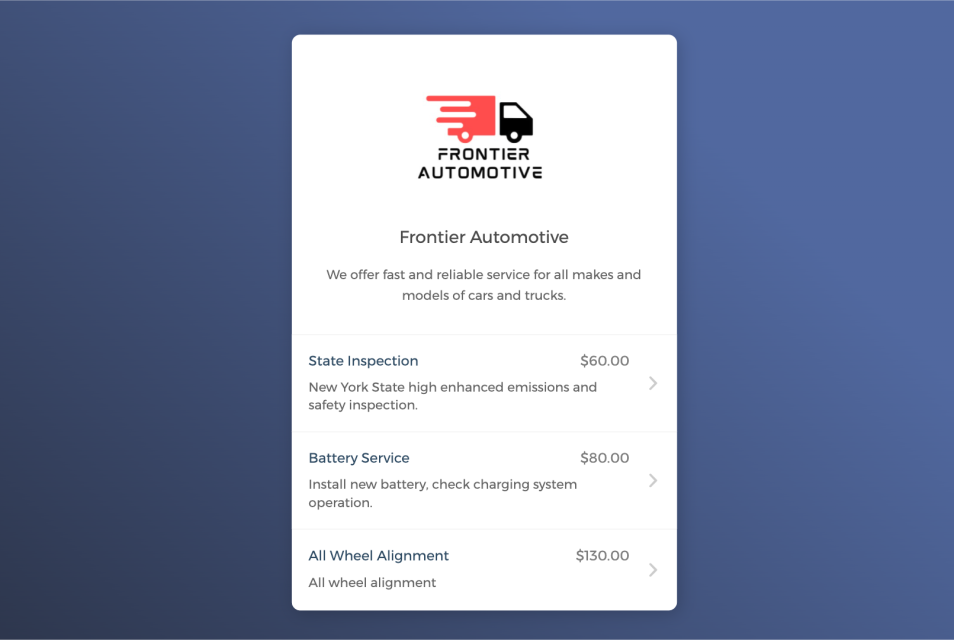

Empower customers to book service appointments on their own
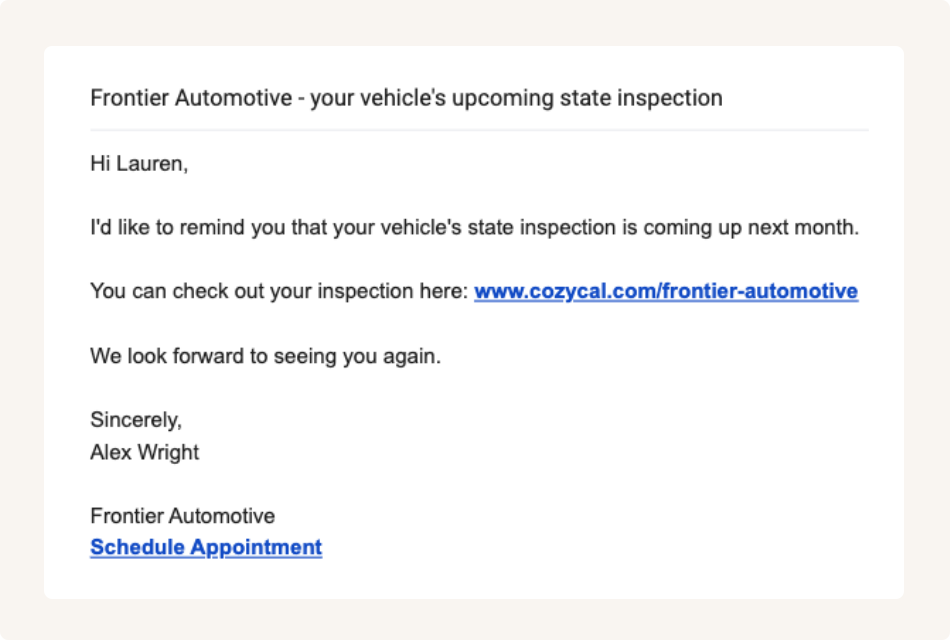
Share booking page links to accept appointments from multiple channels
Keep your auto service schedule updated across multiple calendars
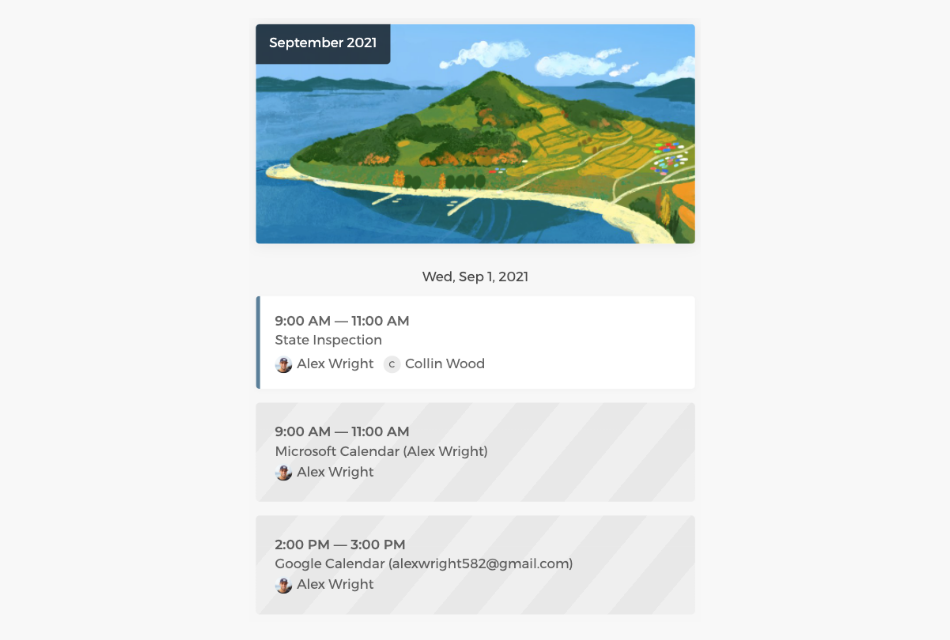
Connect with Google calendar or Outlook calendar to sync your autoshop's schedule and availability across all calendars in real-time, eliminate double-bookings and manage service bookings easily.
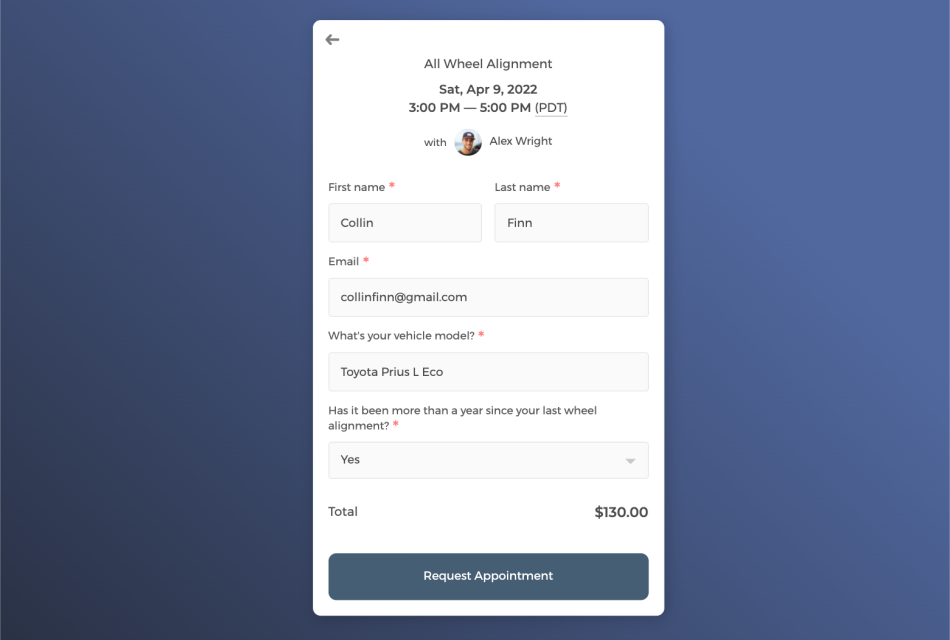
Customize intake form to collect customer information
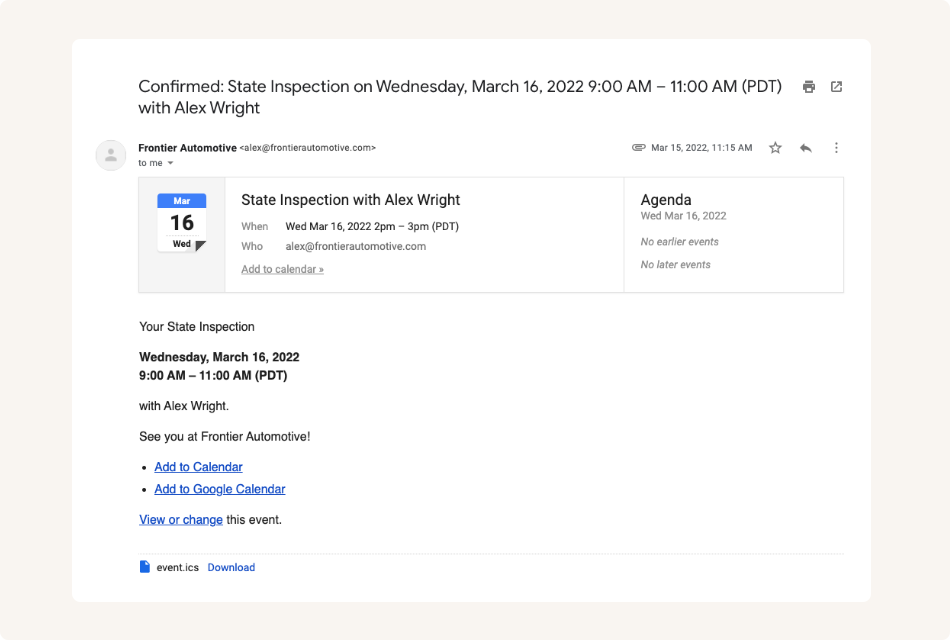
Send white label automatic email notifications to keep customers informed
Control how your auto shop's services get booked with flexibility
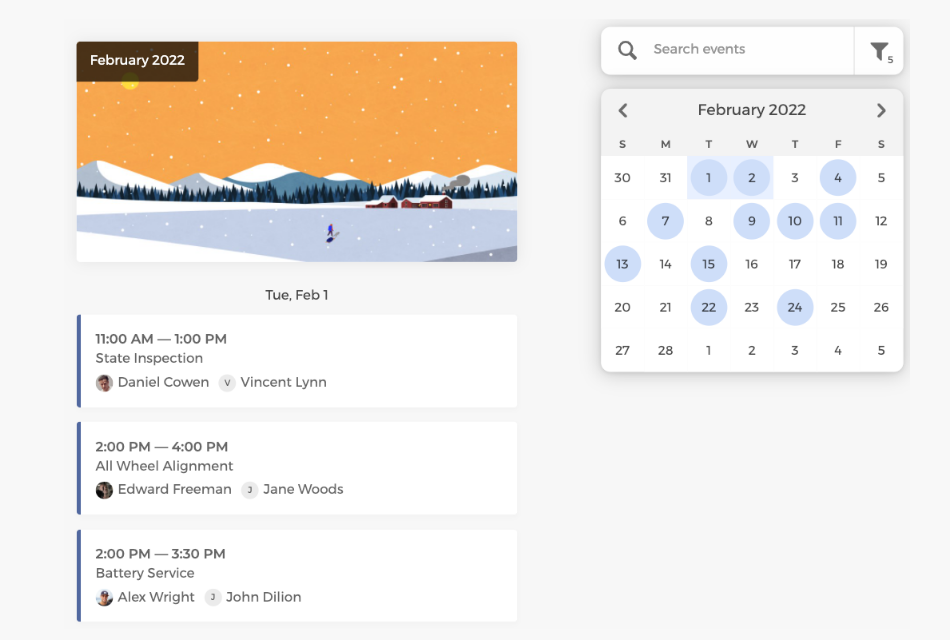
Easily track all booked service appointments on the admin dashboard, manage service availability flexibly, and allocate staff resources more efficiently.
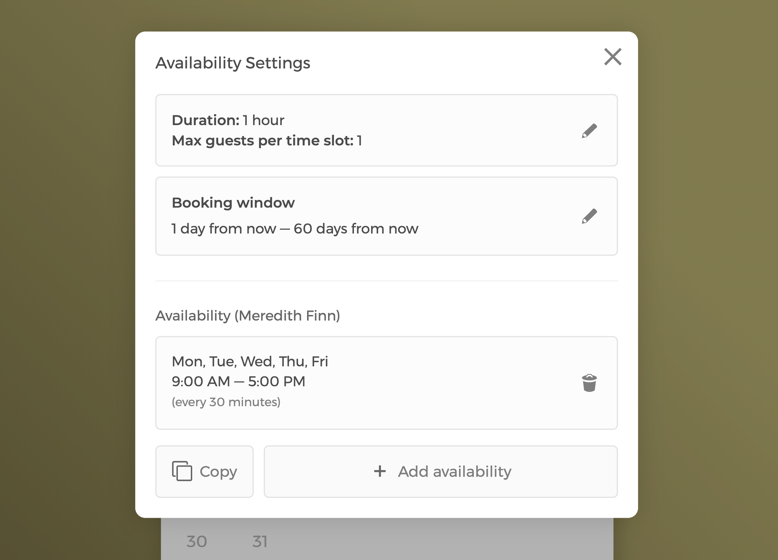
Manage availability settings with flexibility
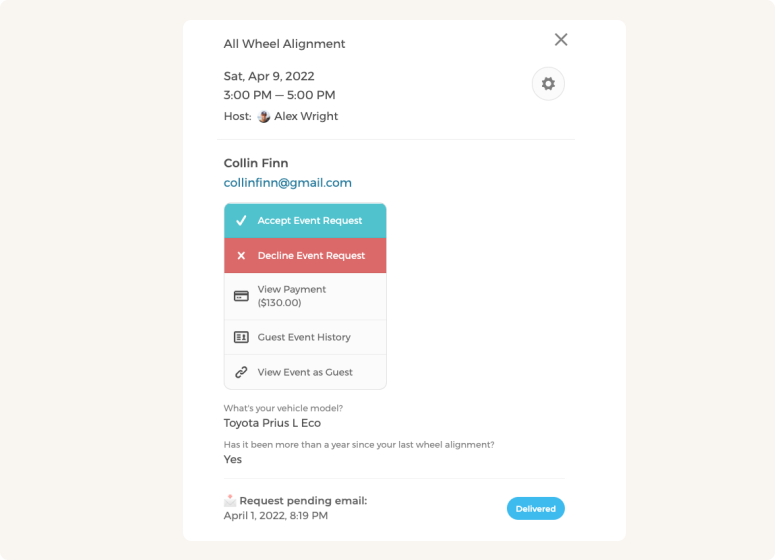
Manually approve or decline service booking requests
Customize CozyCal to fit your auto shop's scheduling needs
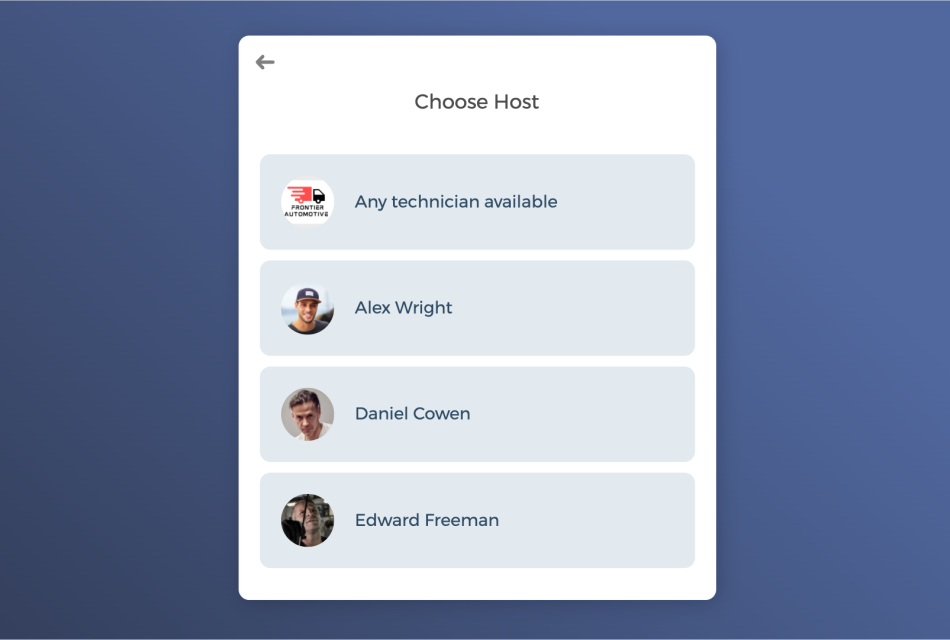
With a team of technicians, booked service appointments can be auto-assigned to staff in a round-robin manner or let clients select a specific technician of their own preference.
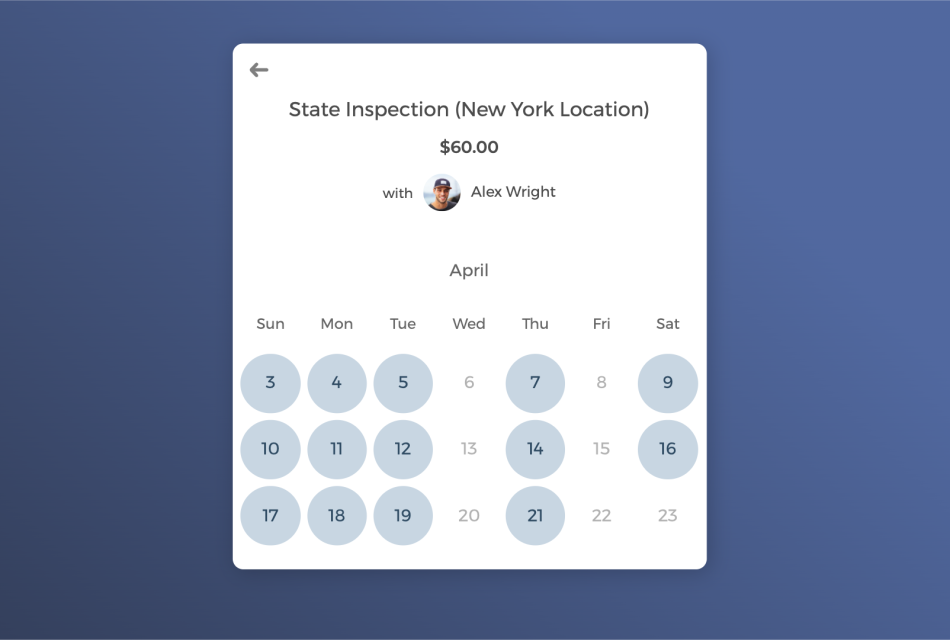
Manage multi-locations under a single account
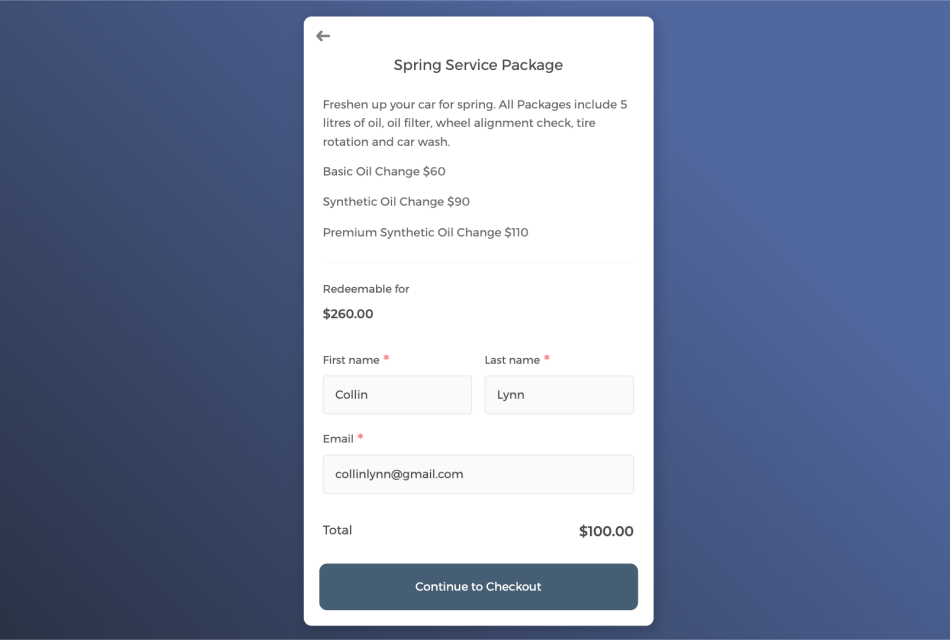
Sell service sessions in package to boost revenue and keep clients engaged
Power up your automotive scheduling software with integrations
Connect CozyCal with apps your are already using to create automated workflows that increase efficiency, reduce overhead burden and plan the best services for your clients.
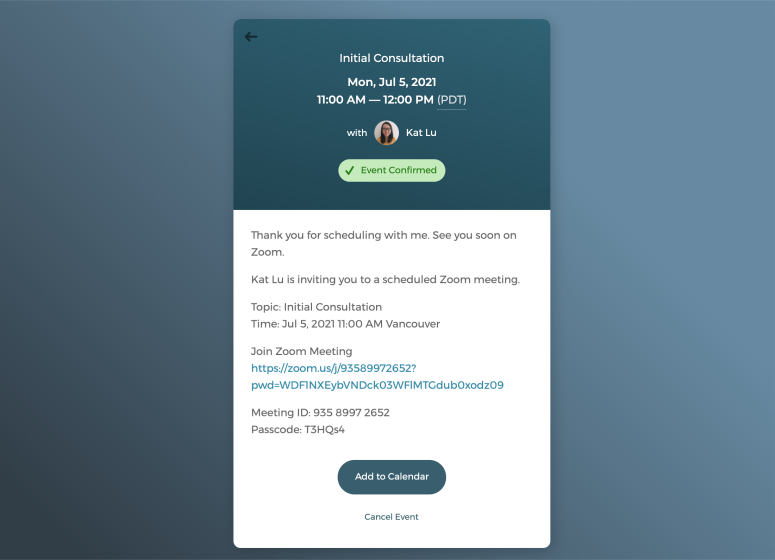
Host virtual consultations with just one click
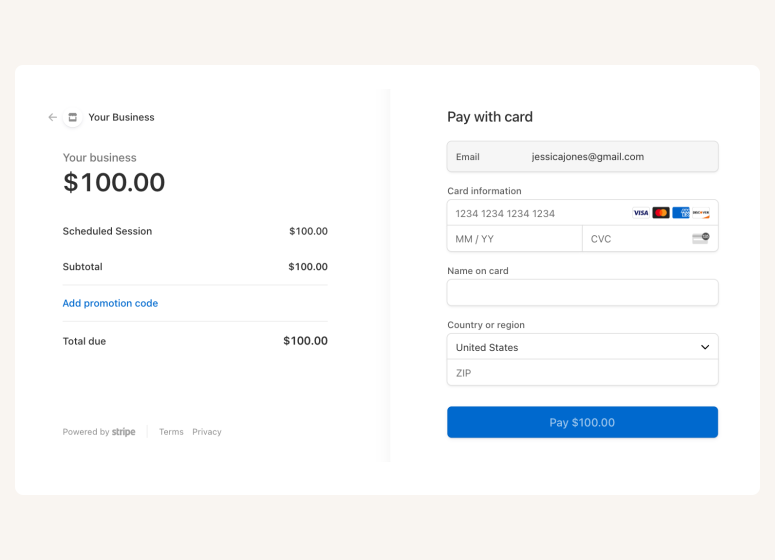
Accept online payments securely through Stripe
A scheduling app that takes care of scheduling for your automotive business

Auto-timezone detection
Redirect page

SMS reminder
Customer database







Questions & Answers
Have more questions? Contact us at support@cozycal.com
What vehicle information can auto shops collect when customers book service appointments?
CozyCal's intake forms capture essential details before customers arrive: vehicle make, model, year, mileage, VIN, and the specific issue or service needed. Include fields for insurance claim information if handling collision work, warning lights currently displayed, or symptoms the driver has noticed. Technicians review this information beforehand, allowing them to research technical bulletins, order parts, and allocate appropriate time for the job.
How do customers describe their car problems when scheduling online?
Your intake form can include open text fields where customers explain symptoms in their own words, unusual noises, warning lights, performance issues, or specific concerns. Add dropdown menus for common service categories (oil change, brake inspection, tire rotation, check engine light) and checkboxes for additional requests. This information helps service advisors triage appointments and ensures technicians understand the job scope before the vehicle arrives.
Which service types work best as separate bookable appointments?
Create distinct event types for services with different time requirements: quick services like oil changes or tire rotations (30-45 minutes), medium jobs like brake pad replacement or battery installation (1-2 hours), and diagnostic appointments that need extended time for testing and troubleshooting. Each service type has its own duration, pricing, and description. Customers select what they need, and your schedule reflects accurate time blocks.
How does an auto shop prevent overbooking when service times vary?
Set appropriate durations for each service type based on your shop's typical completion times. Add padding between appointments to account for unexpected complications, vehicle handoff, and paperwork. CozyCal syncs with Google Calendar or Outlook, so any manually blocked time immediately reflects in online availability. If a diagnostic reveals additional work needed, staff can adjust the schedule from the admin dashboard.
Can customers at different locations book with the same auto service business?
Yes. Create individual booking pages for each shop location, or combine all locations on one team booking page where customers select their preferred branch. Each location maintains its own availability, staff assignments, and service offerings. The admin dashboard provides oversight across all locations, letting you track appointments, compare performance, and manage resources from a single account.
What's the process for reviewing appointment requests before confirming?
Enable event requests to screen bookings before they're confirmed. When a customer submits a request, you receive their vehicle details and service description. Service advisors can assess whether the job fits your shop's capabilities, verify parts availability, or contact the customer for clarification. Approve suitable requests and decline those that don't fit—custom emails notify customers of your decision.
How are technicians assigned to incoming service appointments?
Choose the method that matches your workflow. Round-robin distributes appointments evenly across your team, balancing workloads automatically. Alternatively, let customers request a specific technician they've worked with before. You can also assign jobs manually based on technician specialization—sending transmission work to your drivetrain expert or electrical diagnostics to your most experienced tech.
Can customers reschedule or cancel their service appointment online?
Every confirmation email includes self-service links for rescheduling or cancellation. Customers view your real-time availability and move their appointment without calling during busy shop hours. You control the rules and how far in advance changes must be made and what policies apply. This convenience reduces phone interruptions for service advisors while giving customers the flexibility they expect.
What happens when a diagnostic reveals the car needs additional work?
If technicians discover issues beyond the original appointment scope, your team contacts the customer for approval. Once authorized, you can book a follow-up appointment or extend the current visit if your schedule allows. CozyCal's centralized client database tracks vehicle history, so future service advisors see past work performed and can reference previous findings when the customer returns.
How does prepayment work for auto service appointments?
Connect Stripe to accept payment at booking time. This works well for fixed-price services like oil changes, inspections, or tire rotations where the cost is predictable. Prepayment reduces no-shows since customers have financial commitment. For diagnostic appointments where final cost depends on findings, you might collect payment after service completion instead. CozyCal supports both approaches.
What integrations help automotive shops run more efficiently?
Google Calendar and Outlook sync keeps technician schedules accurate across platforms. Stripe handles secure payment collection. Zapier connects CozyCal with over 1,000 apps that automatically export customer data to your shop management system, send booking details to your CRM, or trigger follow-up emails for service reminders. White-label email notifications from your own domain maintain professional branding with every customer communication.